
After accepting your student’s seat, you’ll receive an email from Cityscape Schools’ Enrollment Department with instructions to create or access your Skyward account and complete the online registration process. Registration for the upcoming school year typically begins in April.
Skyward Family Access is Cityscape Schools’ secure online student information system. Families use Skyward to complete enrollment, submit required forms and documents, update student information, and access important school information throughout the year.
First, check your spam or junk folder. If you still can’t find the email, please contact the Enrollment Team so we can resend your registration information or assist with your account.
 enrollment@cityscapeschools.org
 (469) 905-0336
 (469) 457-3036
Any parent or legal guardian who wants their own account with their own login and password, they both must have legal rights to obtain information about the student. This will be verified when the account is being processed.
If you have more than one child at Cityscape Schools, you will have a dropdown menu at the top that shows “All Students”. When “All Students” is selected, you will see a link for each student. Complete registration for each returning student. You will also be able to see information about your children that attend other Cityscape School campuses at that time.
Most families should have the following documents available before beginning registration:
- Proof of identity/age (birth certificate or passport)
Acceptable documents include official birth certificate, adoption record, hospital birth record, baptism record, passport or other legal document that establishes student’s age and identity. - Current immunization records or approved exemption documentation
Vaccine Requirements PreK >
Vaccine Requirements K-12 >Below you can find immunization clinics locations:
- DCHHS Stemmons Immunization Clinic8 a.m. – 4 p.m. Monday, Tuesday,Thursday and Friday8 a.m. – 6 p.m. Wednesday
214-819-2163 or 214-819-1903
- John West Branch Immunization Clinic8 a.m. – 4 p.m. Monday through Friday
214-321-5747
- Oak Cliff Branch Immunization Clinic8 a.m. – 4 p.m. Monday through Friday
214-948-0425
- DCHHS Stemmons Immunization Clinic
- Parent/Guardian photo ID
Acceptable documents include driver’s license, state or international ID, military documentation, and passport.
Click here to view samples of acceptable documents > - Student’s most recent report card or withdrawal form
Must provide a current utility bill in parent or guardian’s name. Acceptable documents include water, gas, electricity or gas bill, or lease agreement (must have all bills paid).
Click here to view samples of acceptable documents >- Student’s Social Security Card (if available)
All household members, including children must be listed on the PreK Qualification Application and must provide proof of income.
In addition to providing the documentation listed in the section above, click here for a full list of additional required documentation for PreK Registration.
Yes. We encourage families to begin the registration process as soon as they receive their Skyward invitation. If you’re missing required documentation, contact the Enrollment Team for guidance on acceptable alternatives or submission deadlines.
No. The Pre-K qualification process only applies to students enrolling in Pre-K3 or Pre-K4. Eligible families will receive additional instructions and a link to submit qualification documents after April 1.
Need to change your password?
First login to Family Access, click the button in the upper right-hand corner of the display that says “My Account”. This button will show you all your account information and how to change your password.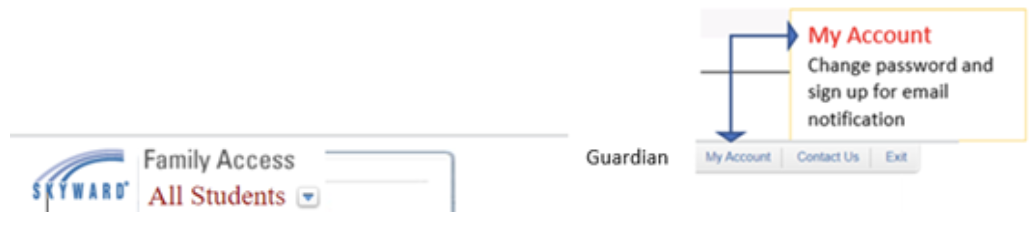
How can I retrieve my password if I forget?
Go to the Family Access log in page and click on the “Forgot your Login/Password?” link. You will receive an email with your username and a link for your password.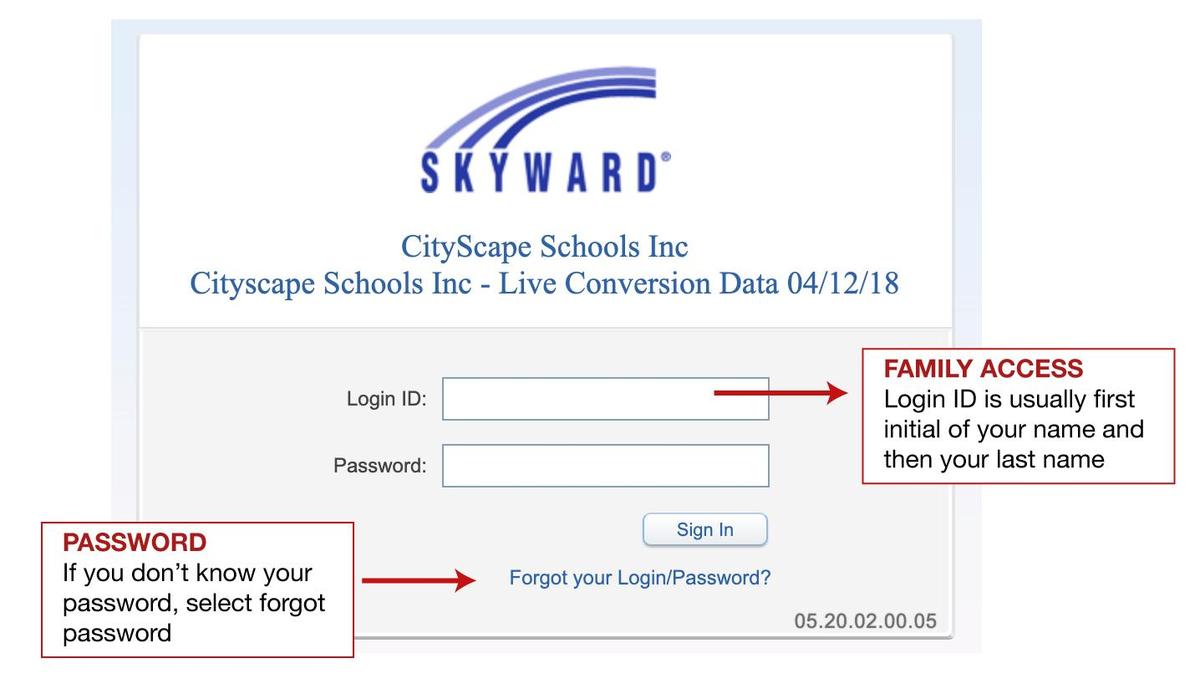
If you’re still unable to log in or are experiencing technical issues, please email enrollment@cityscapeschools.org for assistance with your account.
Yes. Skyward is accessible from most mobile devices. However, for the best experience, especially when uploading documents, we recommend using a computer or laptop whenever possible.
Enrollment is complete once all required registration forms have been submitted, required documents have been received, and the Enrollment Department has reviewed your registration. If additional information is needed, we’ll contact you by email.